

7 Common Fiber Laser Cutting Problems and How Consumables Fix Them
When a fiber laser starts cutting badly, most operators reach for the parameter page first. In practice, a large share of "sudden" quality problems trace back to four wear parts: the nozzle, the protective lens, the focusing lens and the ceramic ring. This guide walks through the seven problems that account for most troubleshooting calls, what each one looks like on the part, and which consumable to inspect before you touch the cutting recipe.

Quick diagnosis: symptom → consumable
| # | What you see | Most likely consumable cause | Check first |
|---|---|---|---|
| 1 | Heavy dross on the bottom edge (hard or soft) | Nozzle bore wear, contaminated lens reducing effective power | Nozzle orifice and lens clarity |
| 2 | Cut does not go through, or parts stay attached | Blocked/oval nozzle, dirty protective lens, low gas flow | Nozzle condition, gas pressure at the head |
| 3 | Dross or burr on one side only | Nozzle off-centre or damaged on one side | Beam centring in nozzle |
| 4 | Rough, burned or heavily tapered edge | Worn nozzle, focus shift from a heat-stained lens | Lens for haze/burn marks, focus test cut |
| 5 | Power drops; thin sheet OK, thick plate fails | Protective lens contamination or burning | Protective lens (haze, spatter, cracks) |
| 6 | Nozzle life suddenly short, spatter build-up | Wrong nozzle type/size, damaged ceramic ring, gas issue | Nozzle size vs material, ceramic ring |
| 7 | Height alarms, nozzle crashes, uneven standoff | Cracked or contaminated ceramic ring, sensor cable damage | Ceramic ring, sensor cable, nozzle tip |
Each problem below expands on this table with the mechanism, the confirmation test, and the fix.
1. Dross on the bottom edge — hard vs soft tells you the cause
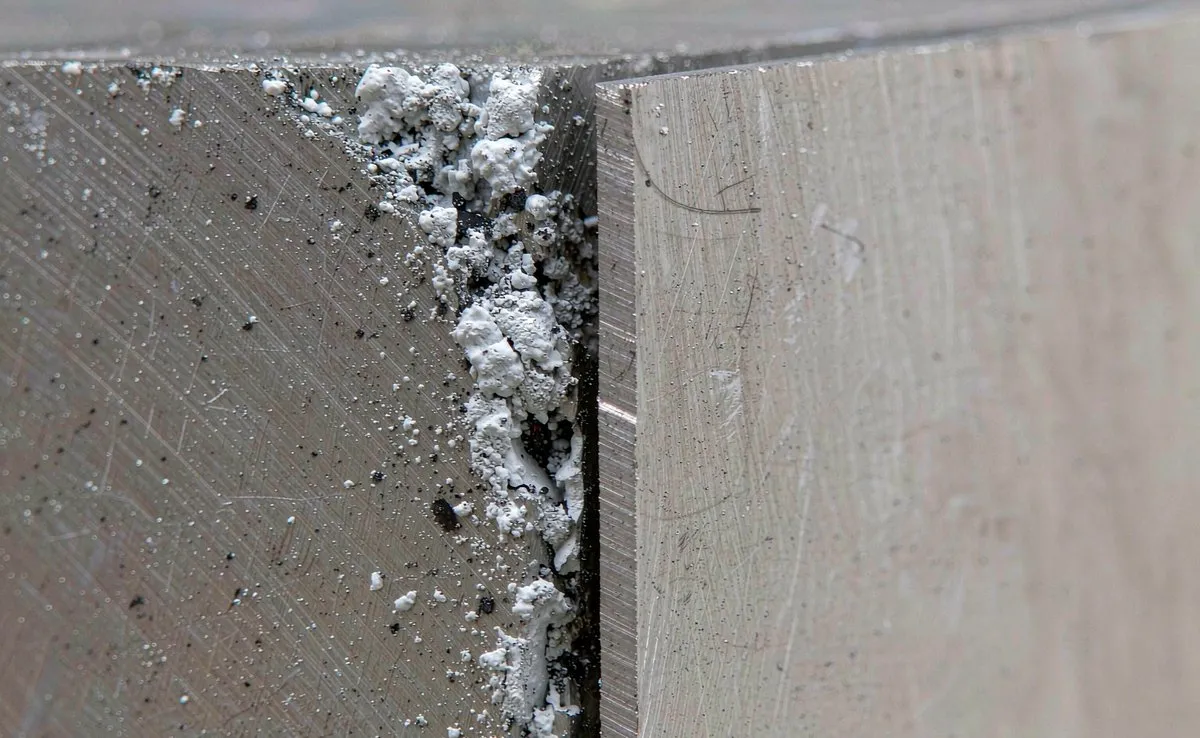
Bottom dross is molten metal that solidified before the assist gas could expel it. The two types point in opposite directions:
- Hard, needle-like dross that needs grinding: the cut ran short of energy at depth — speed too high, power too low, focus too high, or gas pressure low.
- Soft, grape-like beads that snap off with a thumbnail: too much heat — speed too low, power too high, or focus too deep.
A 2025 five-factor study on stainless steel 201 attributed roughly 45% of dross-area variation to laser power and 39% to focus position, while gas pressure explained only about 2.7%. In other words: check power and focus before opening the gas regulator.
Consumable angle: a worn nozzle widens the gas cone and drops effective pressure at the kerf, which mimics a gas problem even when the regulator reads correctly. A hazy protective lens lowers the energy actually reaching the workpiece, which mimics "power too low". If dross appeared together with a new lens or nozzle, suspect the part before the recipe.
2. Incomplete cut — the part is not fully severed
Symptoms: parts stay attached at the end of a contour, small bridges remain at the bottom, or the beam never broke through during piercing.
Confirm by location — where the cut failed narrows the cause:
- Top-side crater: piercing time too short or pierce height wrong.
- Mid-cut resolidification: blocked nozzle or insufficient gas flow.
- Bottom bridge (stitched cut): speed slightly too high (often 5–10%) or focus too high.
Consumable checks: a nozzle with an oval or spatter-blocked bore is the most common physical cause. On thick plate, a protective lens with light contamination can still cut 2 mm sheet but fails at 12 mm — the energy loss shows up first where the process has the least margin. Gas purity also matters: nitrogen purity below spec (oxygen ingress) shows up as incomplete cuts and discoloured edges long before the pressure gauge moves.
3. One-sided dross or direction-dependent quality
If a part cuts cleanly in one direction and drosses in the opposite direction, the process is asymmetric — and the usual cause is mechanical, not parametric.
An off-centre nozzle by as little as 0.1 mm produces directional asymmetry: the gas jet and beam no longer share an axis, so cut quality changes with travel direction. A nozzle damaged on one side of the orifice does the same thing.
Check centring after every nozzle change, after a head crash, and whenever one-sided burrs appear. No pressure or power adjustment compensates for a misalignment — fix the mechanics first.
4. Rough, burned or tapered edges
Edge quality is governed mainly by focus position, speed and gas, and partly by nozzle condition. For nitrogen cutting, a practical starting rule is to place focus one-third to two-thirds of the way through the material from the top surface.
Useful reference numbers from published cutting trials on S355JR steel:
- Taper on 4 mm plate: 0.027 mm (0.192°) at best settings; average across trials 0.056 mm; rising to 0.199 mm on 6 mm plate.
- Raising speed from 2900 to 4500 mm/min increased taper from 0.027 to 0.104 mm at the same power.
- Surface roughness rose from 1.264 µm to 2.979 µm when gas pressure went from 0.3 to 1.5 bar — extra gas commonly makes the edge worse, not better.
A 2023 Taguchi–grey-relational study (Pamcek et al., MDPI) on 3 mm stainless found focus position and cutting speed had the largest effect on surface roughness, with power having the smallest effect inside the normal operating window.
Consumable angle: a heat-stained focusing lens shifts the effective focal point, so the recipe that worked last week now cuts with the wrong focus. If quality degraded gradually rather than after a parameter change, inspect optics before re-tuning.
5. Power loss — thin sheet still cuts, thick plate does not
This is the classic signature of a contaminated or burned protective lens: the machine still processes thin material (large process margin) but fails on thick plate (small margin). Symptoms include slower cutting at the same program, unstable power, and repeated lens burning.
What to check, in order:
- Protective lens for haze, spatter, burn spots or cracks.
- Nozzle for spatter build-up (a blocked nozzle overheats the lens by disturbing gas flow).
- Gas flow stability at the head, not just at the regulator.
- Lens seating and seals — a damaged O-ring lets contamination in.
If a fresh protective lens burns within hours, stop replacing lenses and find the contamination source: spatter from piercing, damaged nozzle, or a leaking seal. Burning lenses is a symptom; the cause is upstream.
6. Short nozzle life and spatter build-up
Nozzles are sacrificial, but "changing nozzles every shift" is not normal operation — it is a signal.
Typical causes of premature nozzle death:
- Wrong nozzle type or bore for the job (single vs double layer, bore vs material thickness). Running a bore too small for the power raises gas velocity and heat at the tip.
- Piercing directly over the nozzle with long pierce times on thick plate.
- Height control faults that let the nozzle dip into spatter.
- Damaged ceramic ring causing unstable standoff.
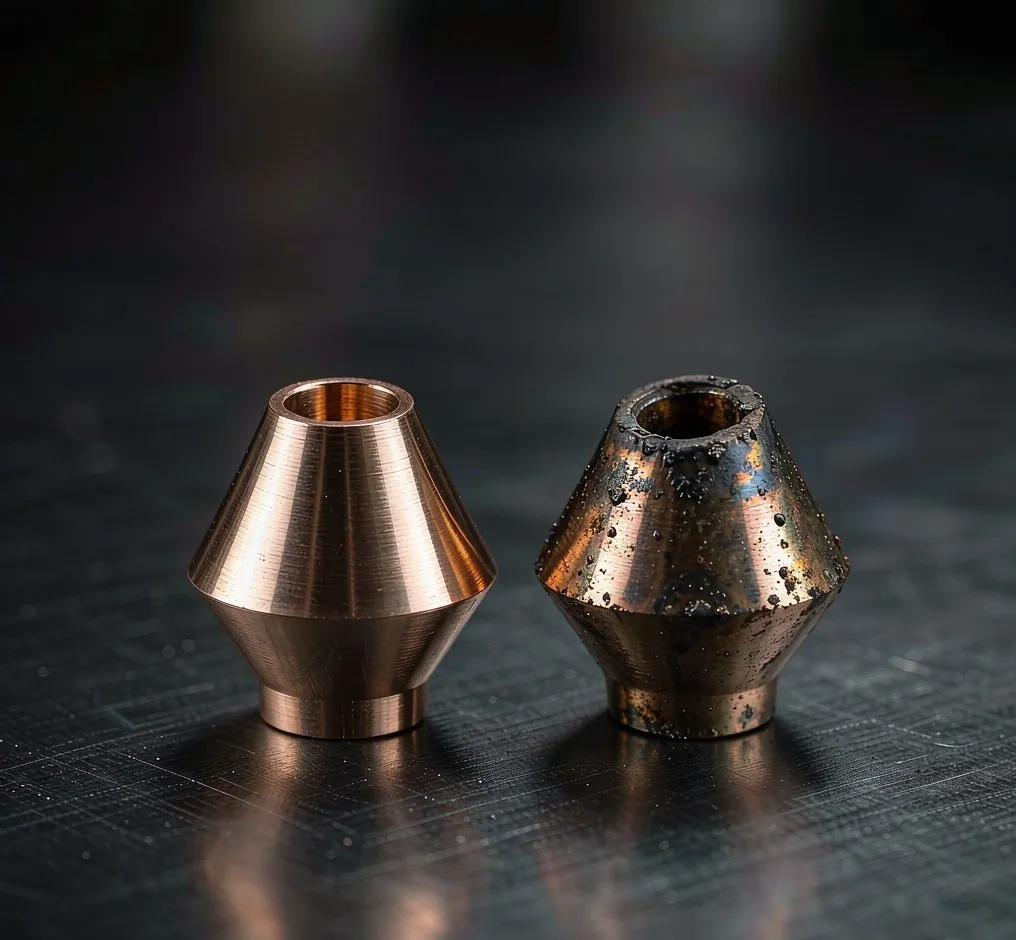
As a rough industry guideline, many suppliers suggest replacing nozzles after roughly 8–12 hours of cutting time on production machines (treat as an estimate — actual life depends on material, power and pierce strategy). Inspect the orifice under good light at the start of each shift: spatter on the outer cone is normal, an oval or chipped bore is not.
7. Erratic height sensing, nozzle crashes and alarms
The ceramic ring insulates the nozzle from the cutting head and carries the capacitance signal used for height control. When it cracks, chips or gets contaminated, the machine loses stable standoff: symptoms are height alarms, sudden nozzle crashes, uneven cut quality across the table, and sometimes a "no beam" fault caused by the interlock.
Check: ceramic ring for cracks and metal spatter bridging the insulator; sensor cable for chafing or a loose connector; nozzle tip for deformation from previous crashes. Replace the ring whenever the head has taken a hit — a ring that looks intact can still have a hairline crack that only fails when hot.
Consumable self-check checklist
| Consumable | What to inspect | Replace when | Typical life (verify with your supplier) |
|---|---|---|---|
| Nozzle | Orifice roundness, spatter, centring | Oval/chipped bore, one-sided dross | ~8–12 cutting hours (estimate) |
| Protective lens | Haze, burn spots, cracks, seal | Any burn spot or clouding that cleaning does not remove | 100–500 h (estimate, varies with piercing) |
| Focusing / collimating lens | Internal contamination, coating damage | Power loss with a known-good protective lens | Multi-month (inspect quarterly) |
| Ceramic ring | Cracks, spatter bridging, continuity | After any crash; when height alarms appear | Until damaged |
| Sensor cable | Chafing, connector seating | Intermittent alarms | As needed |
FAQ
How do I tell hard dross from soft dross? Try to snap it off with a thumbnail. If it comes off easily it is soft dross — the process is too hot (speed too low or focus too deep). If it needs a hammer or grinder it is hard dross — the cut is short of energy (speed too high, power too low, focus too high).
Can a dirty protective lens really cause incomplete cuts? Yes. Contamination reduces optical transmission, so the effective power at the workpiece drops while the machine display still shows the programmed value. The effect appears first on thick plate or high-speed contours, where the process has the least margin.
Why does my cut quality change with direction? Almost always nozzle centring. An off-centre or one-sided damaged nozzle makes the gas jet asymmetric, so the kerf behaves differently depending on travel direction. Re-centre the beam after every nozzle change and after any head crash.
How often should nozzles be replaced? There is no universal number. Many suppliers quote roughly 8–12 cutting hours on production machines, but the real answer depends on material, power, pierce strategy and gas. Track nozzle changes against quality events for a month — your own data beats any catalogue figure.
Does higher gas pressure always improve cut quality? No. In published S355JR trials, roughness rose from 1.264 µm to 2.979 µm as pressure increased from 0.3 to 1.5 bar. Excessive pressure creates turbulence in the kerf and can make edges worse. Tune pressure for a stable, laminar flow rather than maximum regulator setting.
Need a fast consumable check?
Send us a photo of the defect and your cutting parameters (material, thickness, power, gas, nozzle size). We will tell you which consumable to inspect first — usually within one business day.
- Nozzles: laser cutting nozzles — single/double layer, D28 H15 and other common interfaces
- Protective optics: laser protective lens
- Focus optics: collimating & focusing lenses
- Height control parts: laser sensor cable
- Cutting head parts: laser cutting parts
- CO2 optics: CO2 lens & mirror
WhatsApp: +86 199 5823 0379 · Email: louis@ttsurl.com — wholesale and OEM inquiries welcome.